On the Settings tab, fill in the fields below and press "Save". You cannot send until every field marked with a red * is filled in.
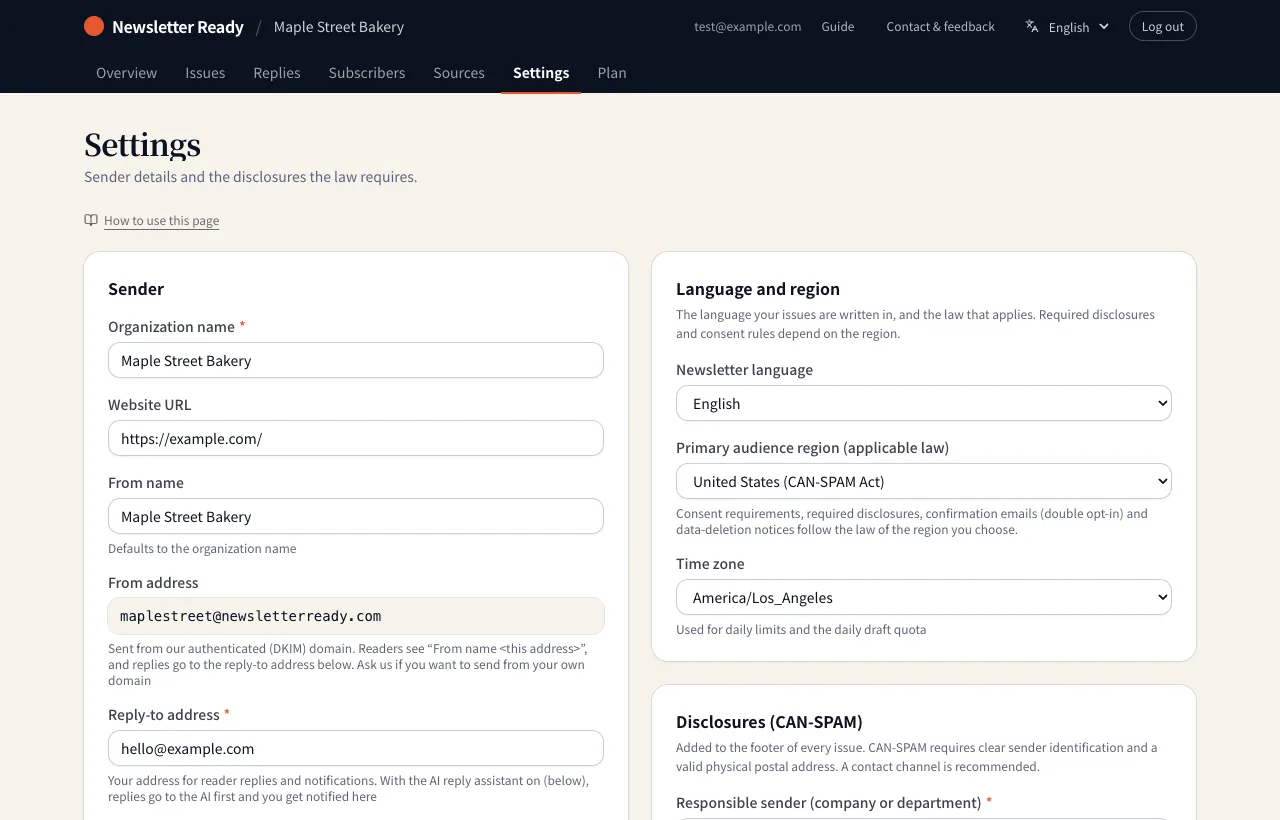
Sender
| Field | Notes |
|---|---|
| Organization name | The name readers see |
| Website URL | Your home page or similar |
| From name | Shown as the sender of each email. Defaults to the organization name |
| From address | Fixed as handle@newsletterready.com. We send from a domain authenticated with SPF, DKIM and DMARC, so your mail is less likely to land in spam |
| Reply-to address | Your own address for reader replies and notices from us (required) |
| Daily sending limit | Anything over the limit goes out the next day |
Language and region
| Field | Notes |
|---|---|
| Newsletter language | The language AI writes your issues in |
| Primary audience region | The law that applies: United States (CAN-SPAM), Canada (CASL), United Kingdom, EU, Australia or Japan. Required disclosures, consent rules and confirmation emails (double opt-in) follow the region you choose |
| Time zone | Used for the daily sending limit and the daily draft quota |
Disclosures
For the United States, CAN-SPAM requires commercial email to identify the sender clearly and include a valid physical postal address. What you enter here is added to the footer of every issue.
| Field | Example |
|---|---|
| Responsible sender | Maple Street Bakery |
| Physical postal address (PO box accepted) | 123 Maple Street, Springfield, OR 97477, USA |
| Contact | hello@example.com |
An unsubscribe link is added to every issue automatically. You do not need to write one.
Related: Email footer checker