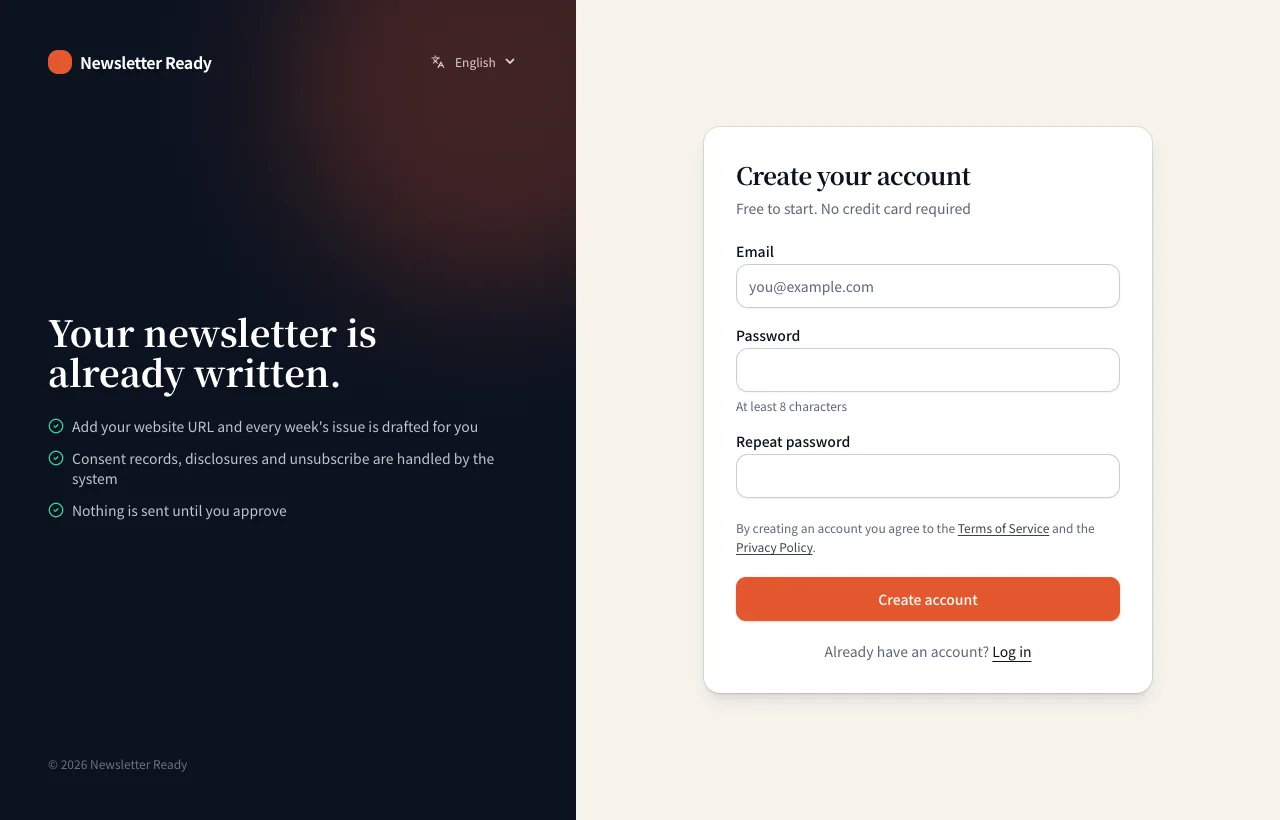
1. Create your account
- Click "Log in" at the top right of the home page, or open Create your account.
- Enter your email and a password (at least 8 characters).
- Open the link in the confirmation email to finish. If it does not arrive, check your spam folder.
2. Create an organization
Newsletters are managed per organization (a company, shop or team). The first time you log in, you are asked to create one.
| Field | What to enter |
|---|---|
| Company or organization name | The name readers see, e.g. Maple Street Bakery |
| URL handle | Lowercase letters, digits and hyphens. It becomes your subscribe form URL (/s/handle) and your from address (handle@newsletterready.com). It cannot be changed later, so keep it short and clear |
| Website URL | Your news or blog listing page works best. It is added as a source right away, and article fetching starts |
Press "Create" to go to Settings, then follow the next chapter.
Tips
- One account can own several organizations. Switch between them from the organization name at the top.
- Before signing up, paste your website URL into the box on the home page to see a sample issue drafted on the spot.