When a reader replies to your newsletter, AI reads it and drafts an answer. You check it and press "Send this reply".
1. Turn it on
On the Settings tab, under "AI reply assistant", tick "Use the AI reply assistant" and press "Save". Enter your reply-to address first; notifications go there.
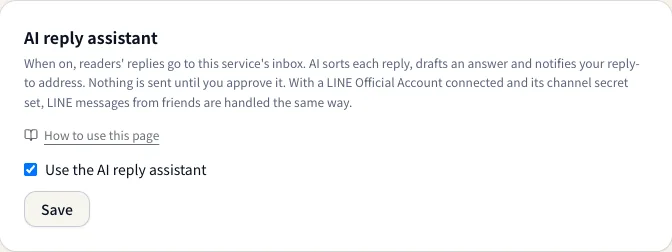
Once it is on, replies to issues you send from then on come to us. Replies to issues sent before you turned it on still go straight to your reply-to address.
2. When a reply arrives
AI sorts the reply, drafts an answer and emails your reply-to address to let you know. Booking and pricing inquiries are marked as leads.
The Replies tab lists them.
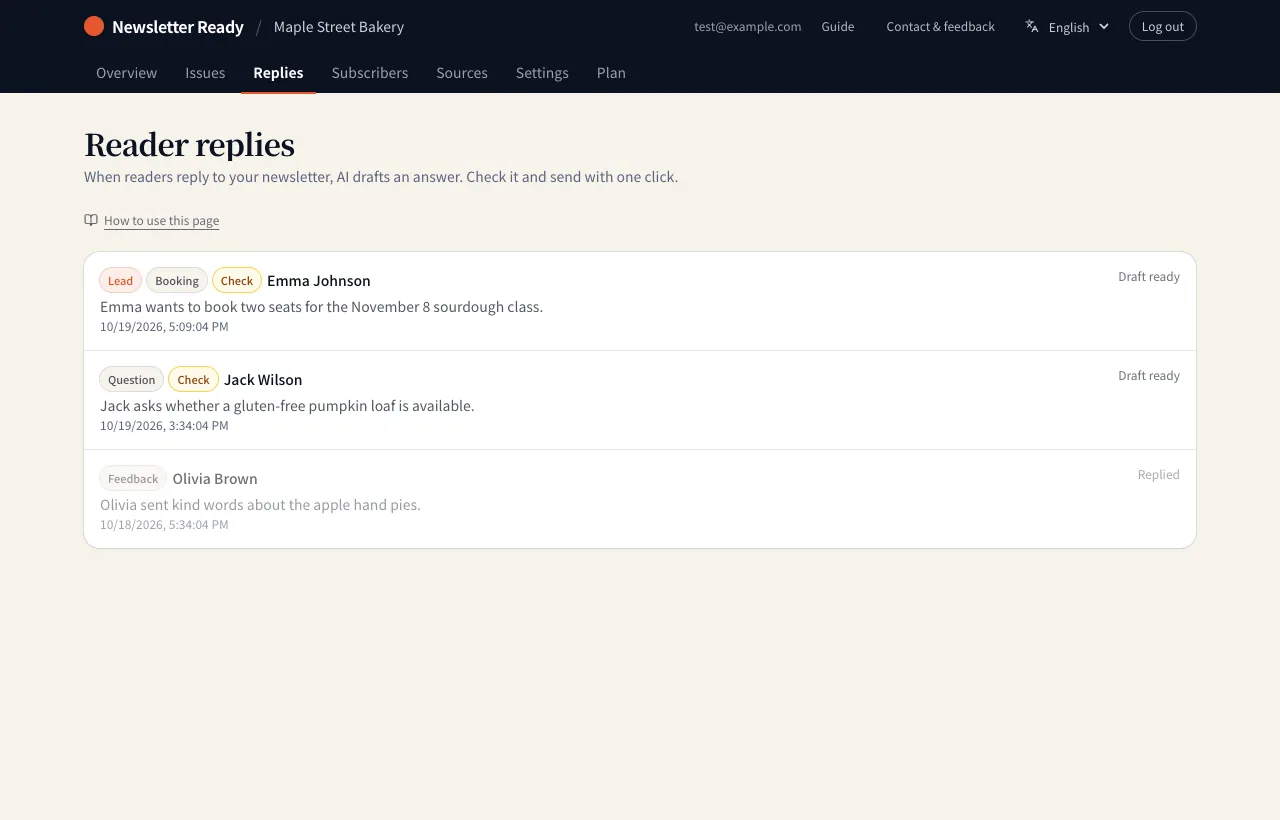
| Label | Meaning |
|---|---|
| Lead | Bookings, orders, quote requests and other replies that may turn into business |
| Question / Booking / Order / Feedback / Unsubscribe / Complaint / Other | The category AI chose |
| Check | The reader asks about something your site does not cover, such as prices or dates. You need to confirm |
| Draft ready / Replied / No action needed | Where the reply stands |
3. Check the draft and reply
Open a reply to see the reader's message and an AI summary on the left, and the drafted answer on the right.
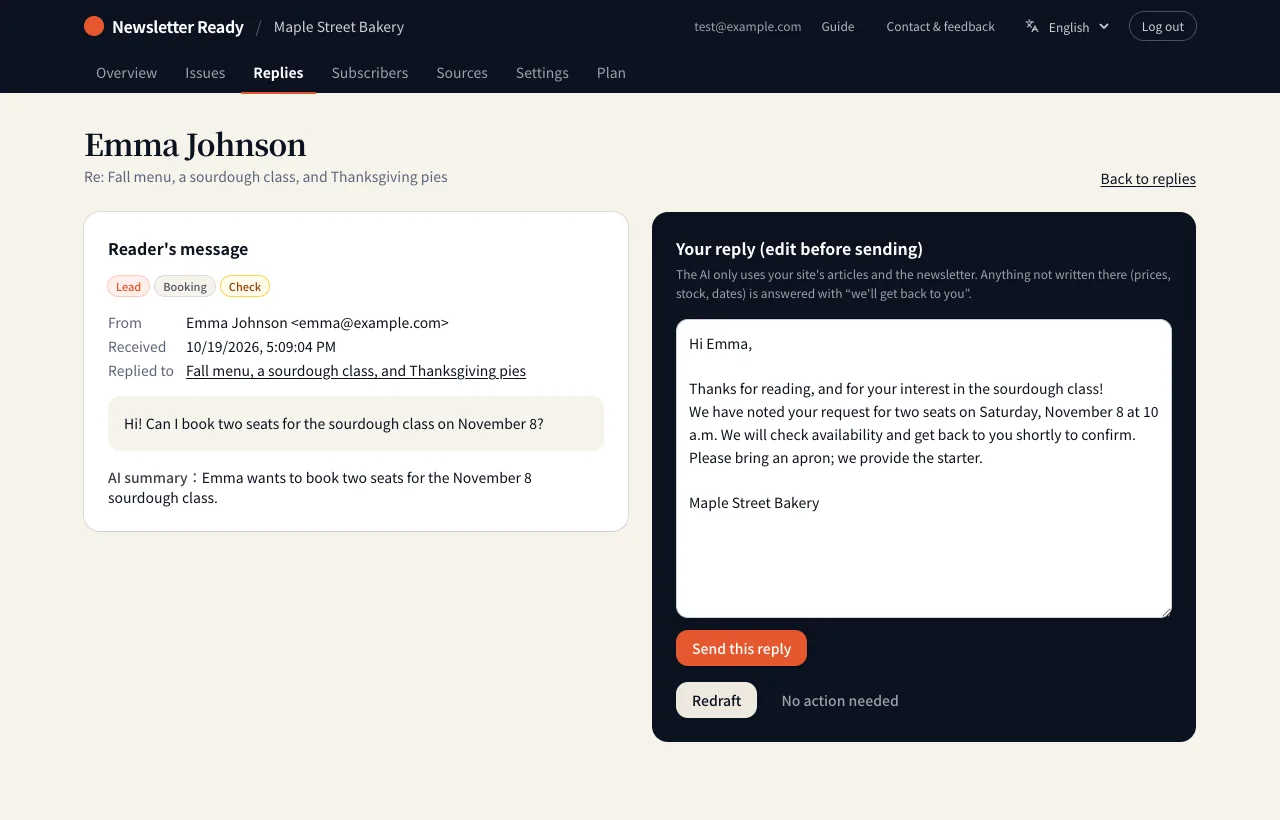
- Read the draft and edit it if needed.
- Press "Send this reply". It reaches the reader in the same thread as their email.
- If no answer is needed, press "No action needed". For a different take, press "Redraft".
What AI sticks to
- It answers only from your fetched site articles and the issue the reader replied to.
- It does not promise prices, stock or dates that are not written there. It says someone will check and get back to them.
- It never confirms bookings or orders. You decide dates and details in your reply.
- It sends nothing on its own. Nothing reaches the reader until you approve.
Handled automatically
- Unsubscribe requests ("please stop sending these") unsubscribe the reader automatically, because the law requires you to stop promptly.
- Automatic replies such as out-of-office messages are ignored. No draft or notification is created.