Share your subscribe form
Every organization gets its own subscribe form. Find its URL under "Subscribe form" on the Overview tab (for example https://newsletterready.com/s/maplestreet).
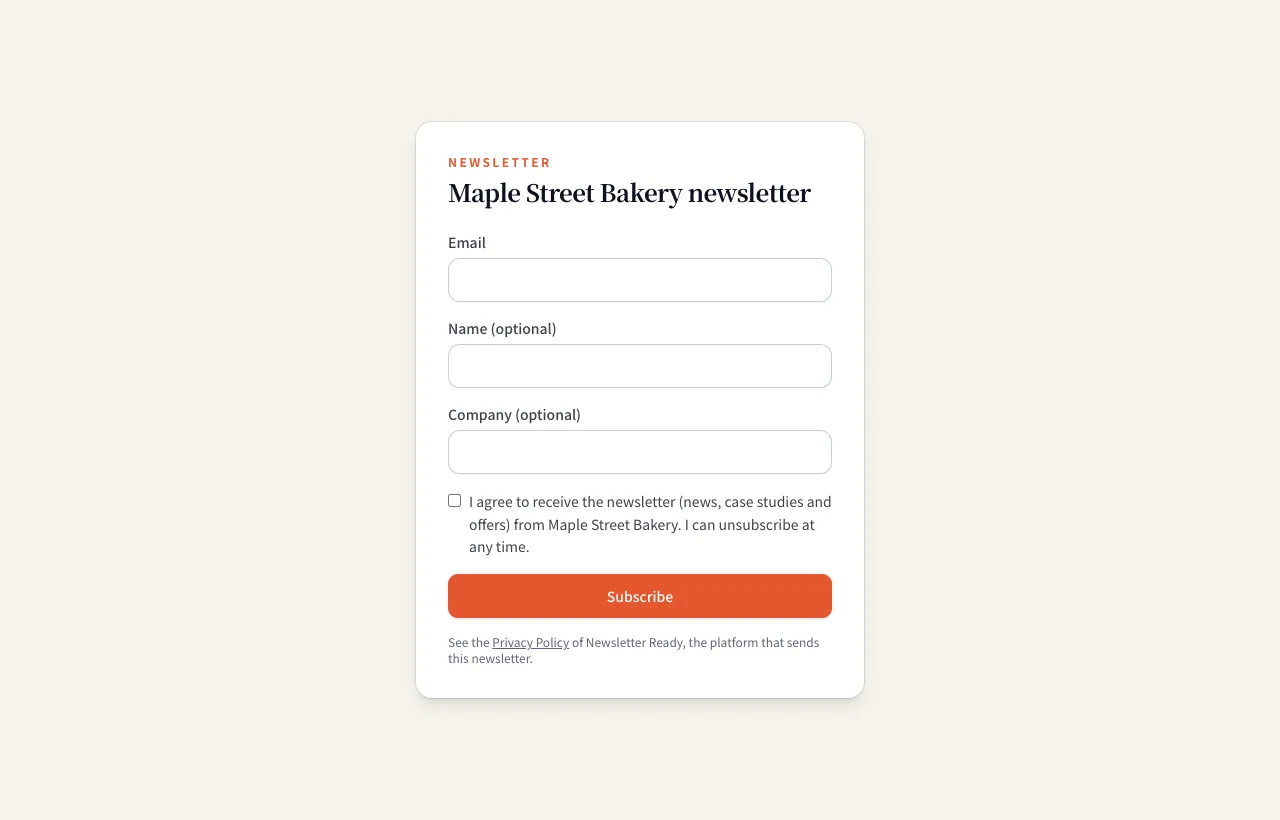
Put the URL where people will see it:
- A link on your home page or news page
- Your email signature
- Signs, flyers and business cards in your shop (a QR code works well)
- Your social media profiles
The form has a consent checkbox, and the time and wording of each sign-up are recorded. With the EU or UK region selected, sign-ups are confirmed by email (double opt-in).
Add contacts by hand
Contacts you already have, such as customers or people you met at an event, go in on the Subscribers tab.
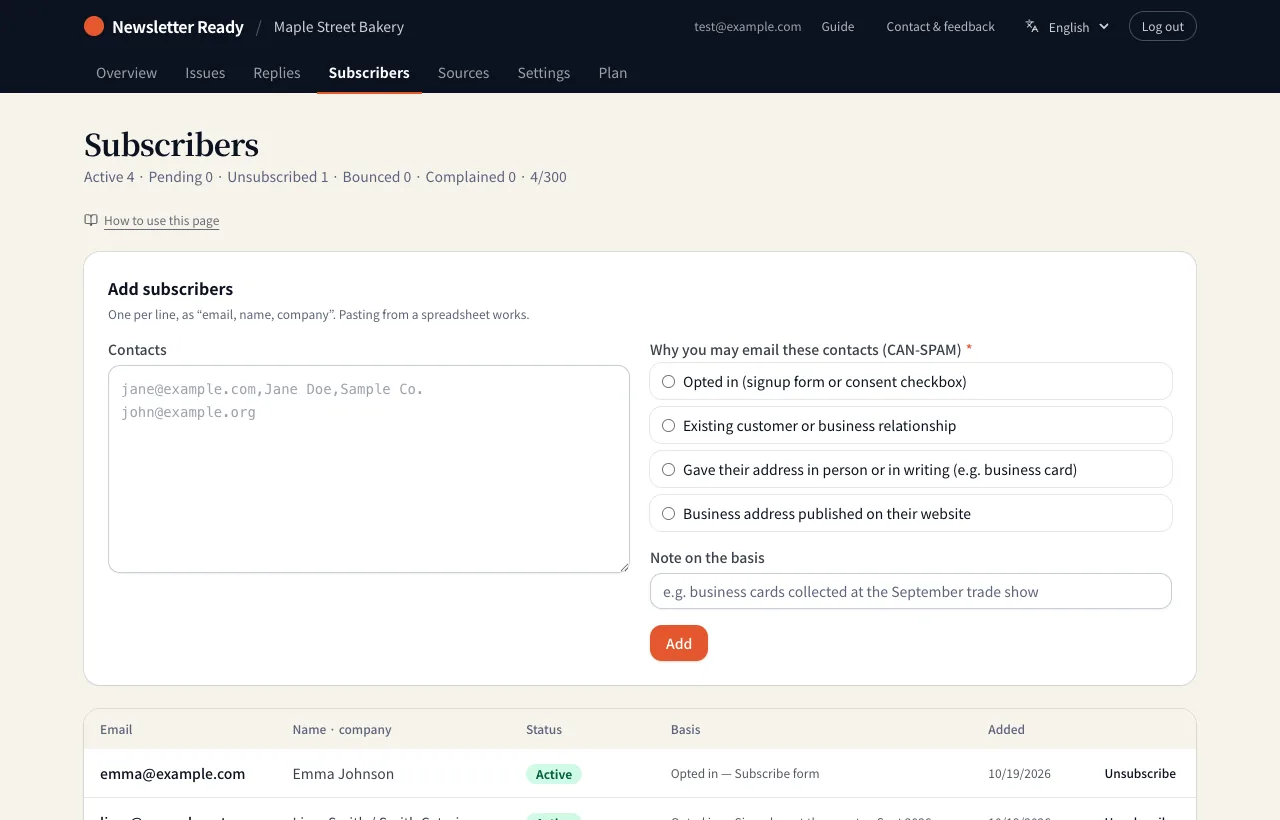
- Under "Contacts", enter one person per line as "email, name, company". Pasting from a spreadsheet works.
- Choose "Why you may email these contacts". Contacts without a basis cannot be emailed.
- Under "Note on the basis", write when and where you got the address (e.g. business cards collected at the September trade show).
- Press "Add". Addresses already on your list are skipped.
| Basis | When to use it |
|---|---|
| Opted in | They agreed to receive your newsletter through a form or a checkbox |
| Existing customer or business relationship | Customers and business partners you already deal with |
| Gave their address in person or in writing | For example, they handed you a business card |
| Business address published on their website | A company or organization address published online |
The options shown depend on the region you chose in Settings. Whether you may email someone without consent depends on the law where they are; see Gmail and Yahoo sender requirements and the guides.
Unsubscribes and bounces
- Press "Unsubscribe" in the list and that person is no longer emailed. The record is kept.
- When a reader clicks the unsubscribe link in an issue, they are unsubscribed automatically.
- Addresses that bounce or report spam (complaints) are stopped automatically too.